


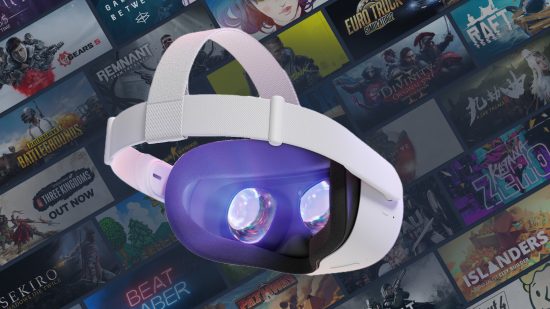
For millions of Meta Quest users, the ability to play high-fidelity PC VR games without being tethered by a cable is the definitive VR experience. It merges the untethered freedom of standalone hardware with the power and expansive libraries of PC gaming. While this technology now feels essential, Meta’s native solution, AirLink, almost didn’t happen.
In a revealing interview with the Rough Talk VR podcast, Amanda Watson, the creator of AirLink, shared the remarkable story of how she developed the technology when internal leadership had deemed it unfeasible.
Watson, a VR software engineer specializing in “weird little low-level performance hacks,” detailed her seven-year journey at Oculus/Meta and the unconventional motivation that led to one of the platform’s most crucial features.
The Road to Oculus
Watson’s passion for the industry was ignited the moment she tried the Oculus DK1 at a tech meetup while still in college.
“It was just so clear to me that this was much more exciting than anything else,” Watson recalled. “After that, I was absolutely obsessed with VR, with Oculus, and specifically with getting a job at Oculus.”
This obsession became a “hyper-fixation.” The primary obstacle was that Oculus wasn’t hiring entry-level engineers in her field; they were looking for veterans with nearly a decade of experience. Undeterred, Watson spent a year networking her way in, determined to “convince them that I should work there too.”
Her persistence paid off. Oculus was her first job out of college. Over the next seven years, she worked on the Gear VR SDK, the Core OS for the original Quest and Oculus Go, and ensuring controller smoothness for the original wired Oculus Link.
But it was the challenge of wireless streaming that would define her legacy.
Proving the Impossible
The prevailing wisdom within the company around 2019 was skeptical of wireless PC VR. Watson explained that an internal group had been tasked with exploring wireless solutions, but their findings were bleak.
According to Watson, the group concluded that “Wireless VR streaming was impossible with modern technology.” They suggested that anyone enjoying existing third-party solutions must “live in a lab somewhere” rather than dealing with normal, unpredictable home Wi-Fi conditions.
Watson, who was working on the wired Link at the time, fundamentally disagreed.
“When they said their piece, I created a new project and I called it AirLink,” Watson said. It was a prototype designed specifically “to combat those assumptions and pass their tests.”
This was not an assigned task; it was a project driven by a need to correct the record. The assertion that it couldn’t be done galvanized her.
“I just didn’t like people saying this thing that was clearly wrong to me, and it seemed like really bad if nobody was ever going to correct it,” she stated, adding succinctly, “They were just wrong.”
The development process was an uphill battle. “It took a lot of time to convince the company that wireless streaming was something we should even allow on the platform to begin with,” Watson recalled. It took nearly a year of prototyping and internal pitching before the project finally secured a green light from Meta Reality Labs CTO Andrew “Boz” Bosworth.
AirLink vs. Virtual Desktop
It’s impossible to discuss AirLink without mentioning Virtual Desktop, the third-party application that pioneered wireless streaming on the Quest. The arrival of AirLink was often characterized by the community as Meta’s direct response to Virtual Desktop’s success.
Watson clarified the internal perspective: “AirLink was not a response to Virtual Desktop, and Virtual Desktop was not treated as a competitor to AirLink.”
While remaining respectful of Virtual Desktop as a platform partner, Watson highlighted the areas where she is most proud of AirLink’s performance. “I think it’s very good at tracking accuracy… I also think it’s pretty good at smoothing over kind of small hitches and frame drops.”
The Future of Wireless and the Cloud
Watson left Meta in October 2022, seeking to address new problems and leave on her own terms. The break was short-lived. “I’ve been super productive,” she noted, diving immediately into new open-source VR projects and partnerships.
One major focus is a collaboration with Reboot Imagine, applying her expertise to develop “new wireless tech” for Location-Based Entertainment (LBE) and VR arcades.
Looking further ahead, Watson also shared a surprisingly optimistic view on the potential for VR cloud gaming. While many see VR as a harder version of traditional cloud gaming (which already struggles with latency), Watson believes VR has inherent advantages.
“VR systems tend to use tools like prediction to make latency go away,” she explained. Traditional cloud gaming is limited by “push button latency,” but VR can utilize motion data to anticipate actions.
“Imagine if you had a system where you knew when the person was making the motion to push the button, and you could predict ahead of time they’re going to push that button. You could make that latency a lot smaller.”
“The reasons people think that it’s sci-fi,” Watson argued, “aren’t really based in reality.”
Amanda Watson’s story is a testament to the impact of engineering passion and the refusal to accept “impossible.” Because she was determined to prove the skeptics wrong, wireless PC VR evolved from a niche workaround to a fundamental feature of the world’s most popular headset.
Pro Tips from the Creator: Optimizing AirLink
Developing AirLink required simulating countless home networking environments, a significant challenge during the 2020 development cycle. Having spent years troubleshooting the software, Watson offered key advice for optimizing the experience:
- The Wired Connection is King: The single biggest performance factor isn’t necessarily the quality of your router. “A lot of mid-range routers are good,” Watson noted, but ensuring your PC has a wired Ethernet connection to that router “makes the biggest difference.”
- SSID Confusion: If your 2.4Ghz and 5Ghz Wi-Fi networks share the exact same name, headsets can sometimes default to the slower band. Watson advises renaming the 2.4Ghz network to ensure the Quest connects exclusively to the faster 5Ghz network.
- The SteamVR Home Trap: Launching AirLink, then opening the SteamVR Home environment, and then launching a game from within that environment can cause significant performance challenges (which Watson notes is the fault of underlying software, not Steam). She advises launching the game directly from the Steam desktop interface or using utilities (like ‘Oculus Killer’) that bypass SteamVR Home entirely.
- Check Firewalls and VPNs: If AirLink fails to connect initially, the culprit is often a firewall or VPN setting preventing the PC from being visible on the local network.
